



The Run Gemini feature sends a weather-analysis request to
Google Gemini from inside the IDV. Select the View->RunGemini menu item. A dialog will
popup where you can enter an instruction for the current view window image or select a prompt
example and edit it according to the view weather maps contents. In the Gemini Agentic Vision - IDV Weather Analysis
dialog. it attaches weather maps, combine with an instruction, and run a Gemini model on those
images without leaving the application.
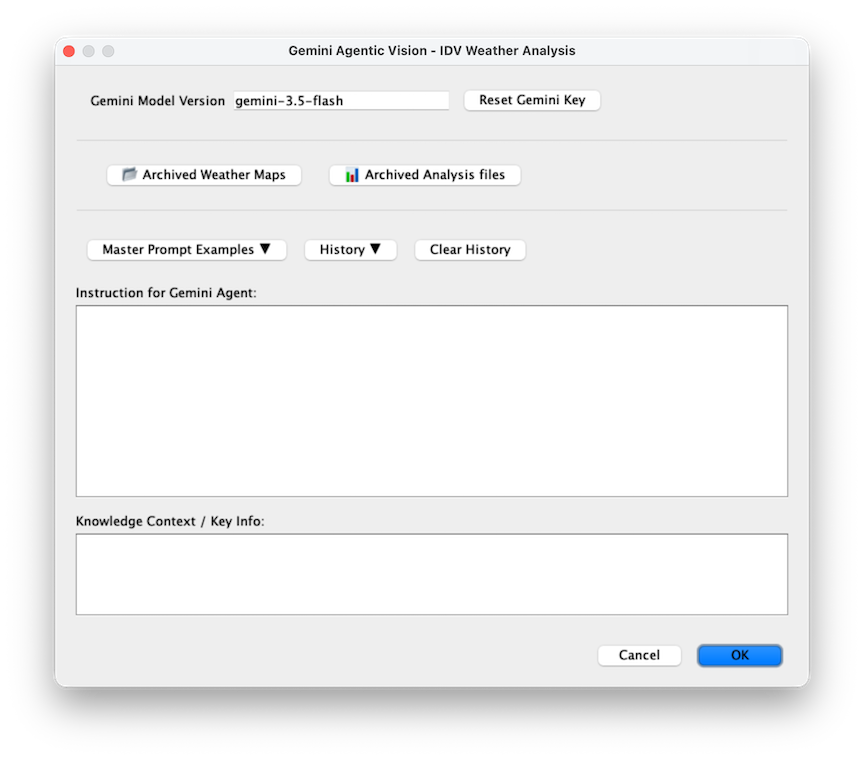
Gemini Model Version
Reset Gemini Key
Archive Weather Maps
Archived Analysis files
Master Prompt Examples
History
Clear History
Instruction for Gemini Agent
Knowledge Context