


 Unidata's Integrated Data Viewer > Dashboard > Choosing Data Sources

3.4.2 Choose an Object Store Object
The ObjectStore chooser allows you to specify the Object Store Object
as data source. A cloud object can be specified the same way as an OpenDAP URL. The form
lets you set the data source type, choose a host such as Amazon, optionally supply
a profile and custom endpoint, then pick a bucket and object key. Pressing Add Source loads
that object into IDV without downloading the archive first. This feature has been tested mostly
in Amazon S3 bucket and can be extended to include Google, Microsoft, and others.
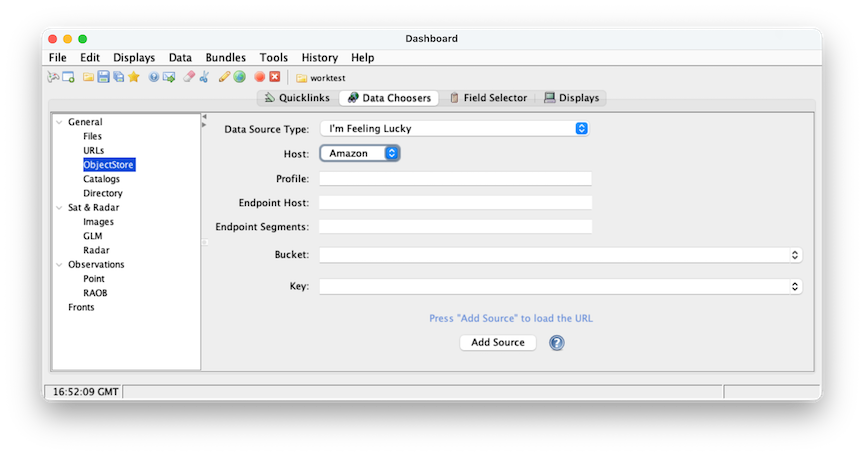 Image 1: ObjectStore Chooser
- Select Data Source Type, currently IDV support Level2 radar type and Grid file type.
- Select a host from the list.
- Profile text field is user name that is optional if the data is open to public.
- Endpoint host is also optional.
- Endpoint Segments is also optional.
- Bucket is required field, every object is contained in a bucket
- Key is also required field that includes a prefix string at the beginning of the object key name.
Unidata's Integrated Data Viewer > Dashboard > Choosing Data Sources